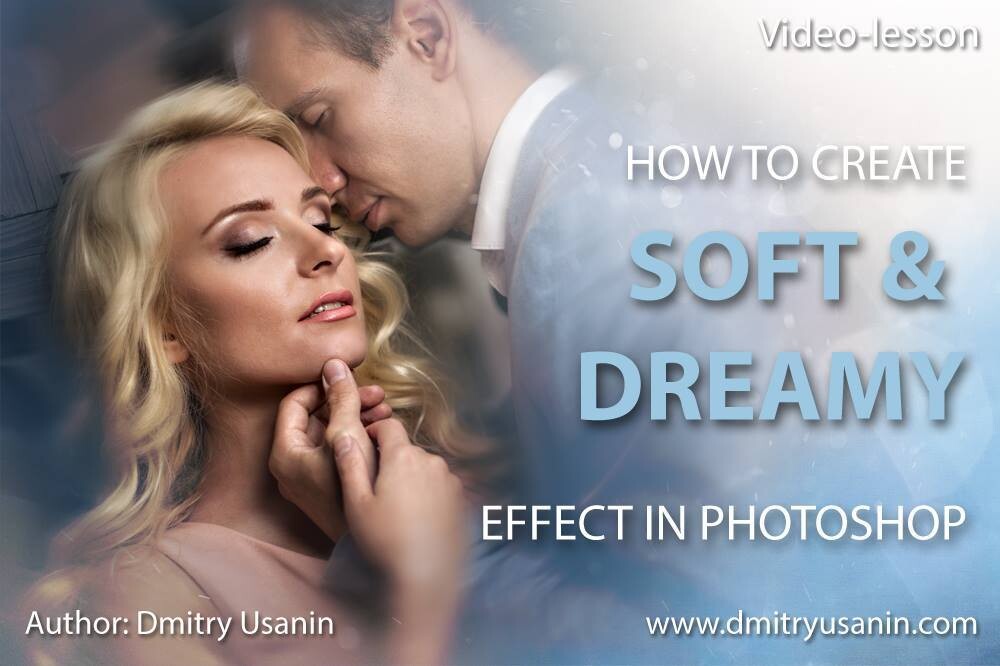
Video lesson "Soft & Dreamy effect"
SKU 00006
$50.00
Video lesson "Soft & Dreamy effect"
Product Details
✔ Full step-by-step editing workflow — 33 minutes
✔ Frequency Separation action + texture included
✔ 30-day money-back guarantee
Video Lesson: Soft & Dreamy Effect
My complete portrait workflow for soft, dreamy wedding images.
Learn the exact workflow behind this wedding portrait — from the first adjustments in Lightroom to the final color in Photoshop. This is not a preset. You see every layer, every step, and why it works.
Why this image feels soft and dreamy
The dreamy look is built in layers: clean, natural skin with real texture, gentle light and shadow, a soft background, warm sunlight and a delicate color tone taken from the image itself. Each step is simple on its own — together they turn a good wedding photo into a romantic, airy image.
A big part of the lesson is skin retouching. I use my Frequency Separation action, which makes professional skin work simple and fast — and you get this action with the lesson.
Lesson Preview
Watch a short teaser showing the editing approach used in this lesson.
What you will learn
- how to prepare the photo in Lightroom: exposure, skin color and saturation
- how to retouch skin with frequency separation — and how to choose the right settings for the action
- how to keep natural skin texture, and make the groom’s skin more textured next to the bride’s soft skin
- how to sculpt light and shadow with dodge & burn layers
- how to tone the image using a color taken from the photo itself
- how to soften the background and keep the focus on the faces
- how to add warm sunlight, foreground plants and a texture for a dreamy, painterly look
- how to create a soft color tone that suits wedding photography
Lesson outline
- 0:17 — Basic adjustments in Lightroom: exposure, skin color, saturation
- 1:54 — Opening the photo in Photoshop and removing visible skin defects
- 2:46 — Skin retouching with the Frequency Separation action: how to choose the right settings
- 5:49 — Bringing back natural skin texture
- 8:59 — Dodge & burn: sculpting light and shadow
- 12:36 — Toning with a color taken from the photo
- 13:43 — Softening the background and focusing on the faces
- 18:52 — Color correction
- 23:12 — Adding warm sunlight
- 25:20 — Foreground plants for depth and a dreamy feel
- 28:01 — Adding and coloring the texture
- 32:00 — Final color and before/after
What's included
- 33-minute complete editing workflow video (MP4, 1080p, English)
- Frequency Separation Photoshop action used in the lesson
- Texture file used for the dreamy look
- Layered Photoshop file — the image shown above, with all layers and further explanations
- Step-by-step "Read Me First" guide
- Editing software: Adobe Lightroom, Adobe Photoshop
Open the Photoshop file and follow every step layer by layer.
Download Information
This product is a digital download only.
Your download links will appear right after purchase and will also be sent to your email. Links stay active for 6 months — please download and save the files to your computer.
Total download size: approximately 233 MB. Please download on a computer with a stable internet connection.
30-day money-back guarantee. Try it risk-free.
Want the complete system?
This lesson is one part of the Fine Art Photoshop Complete Course — 12 lessons, 20 layered PSD files and over 12 hours of real editing.
You May Also Like
For Wedding Photographers

Wedding Bundle — 5 Lessons
Wedding Bundle — 5 Lessons
Downloadable fine art Photoshop wedding editing lessons with layered PSD files. Learn real depth, light, and elegant color — not presets. • 30-day money-back guarantee
$129.00
BLACK FRIDAY −50%
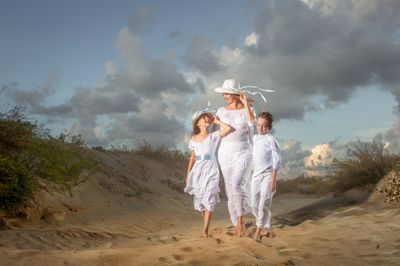
Complete Photoshop Editing Bundle — 12 Lessons
Complete Photoshop Editing Bundle — 12 Lessons
🔥 BLACK FRIDAY — $100 with code FINEART50 • 12 Photoshop video lessons • 20 layered PSD files • Brushes, actions & textures • Keep forever • 30-day money-back guarantee
$200.00
Display prices in:USD